

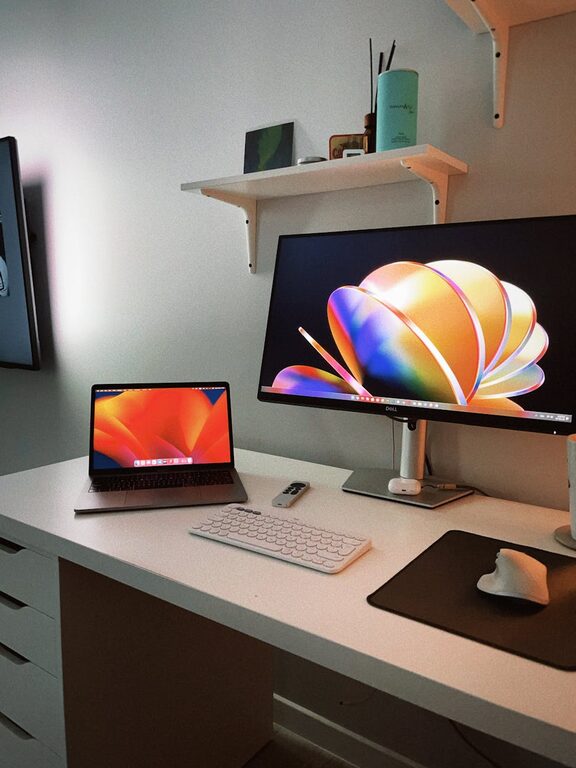
Creating a comfortable and efficient home office can make a huge difference in your productivity and overall mood. With many people working from home, having an organized workspace is more important than ever. A clutter-free environment helps reduce distractions and supports clear thinking. If your office space feels chaotic or cramped, don’t worry! This guide offers practical tips to help you organize a neat, productive home office that works for you.
Why Organizing Your Home Office Matters
An organized office space can:
– Improve focus and efficiency
– Reduce stress caused by clutter
– Help you find what you need quickly
– Make your workday more enjoyable
Before diving into organization, assess your current setup. Take note of what works and what needs improvement. This step will guide your decisions when redesigning your workspace.
Choose the Right Location
Your workspace should be inviting and away from distractions.
Consider the following:
– Natural light: Position your desk near a window if possible to boost mood and reduce eye strain.
– Quiet area: Select a spot that’s free from noise and foot traffic.
– Space for essentials: Make sure there’s enough room for your computer, storage, and any tools you need.
If you don’t have a dedicated room, a corner of a quiet room can work well as a home office.
Declutter Before You Organize
Starting with a clean slate helps make organizing more effective.
Steps to declutter:
- **Clear your desk:** Remove everything and only return essentials.
- **Sort items:** Group supplies, papers, and electronics.
- **Discard or donate:** Throw away broken items and donate what you no longer use.
- **Digitize papers:** Scan important documents to reduce physical clutter.
Once your desk is cleared, you can focus on smart storage solutions.
Maximize Storage Solutions
Smart storage keeps items accessible but out of sight.
Use Storage Bins and Containers
– Label bins so you can easily identify contents.
– Use containers for pens, clips, and small items.
Utilize Shelves and Cabinets
– Wall-mounted shelves free up desk space.
– Cabinets hide clutter and keep your area tidy.
Consider Drawer Organizers
– Organizers prevent mixing different supplies.
– Keep frequently used items in the top drawers for convenience.
Organize Your Digital Workspace
A clutter-free office isn’t just physical. Your computer desktop and files also matter.
– Create folders for documents and emails.
– Delete or archive files you no longer need.
– Use tools like calendars and task managers to keep tasks organized.
Set Up an Ergonomic Workstation
Comfort enhances productivity.
– Use a chair that supports good posture.
– Adjust your monitor to eye level.
– Keep your keyboard and mouse within comfortable reach.
Ergonomics reduce strain and keep you focused longer.
Keep Essentials Within Reach
Limit distractions by having frequently used items close by.
– Keep your phone, notebook, and writing tools near your workspace.
– Use cable organizers to avoid tangled cords.
Develop Daily Habits to Maintain Organization
Even the best setups can get messy without good habits.
– Spend a few minutes at the end of each day tidying your desk.
– File papers immediately rather than letting them pile up.
– Regularly review and adjust your system as your needs change.
Personalize Your Space Thoughtfully
Add elements that inspire but don’t overwhelm.
– A plant or two can brighten your space.
– Use calming colors or artwork.
– Avoid too many decorations that clutter your desk.
Final Thoughts
Organizing a home office takes time and thought, but the payoff is well worth the effort. A clutter-free, organized workspace supports a productive mindset and makes working from home more enjoyable. Start with small changes today, and watch your space transform into a place where you can focus, create, and succeed.