

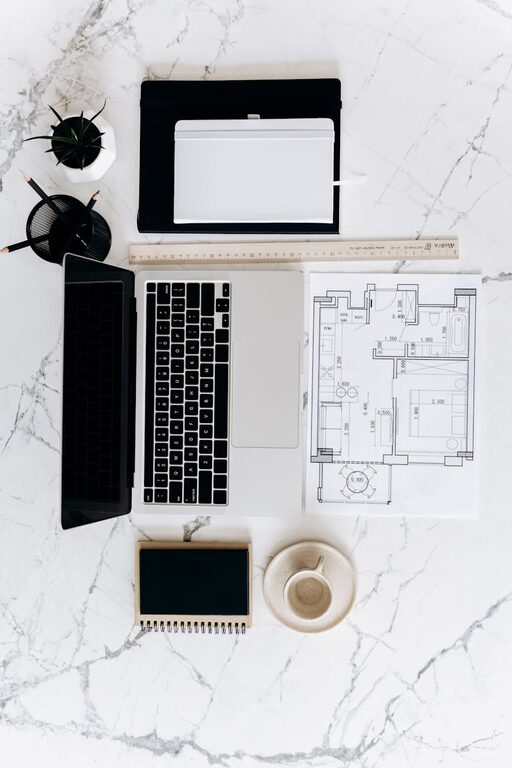
Creating a home workspace that promotes productivity and calmness is essential in today’s world. Whether you work remotely, run a home business, or just need a dedicated spot for personal projects, an organized workspace supports better concentration and efficiency. If you find your desk cluttered or struggle to focus, don’t worry — implementing a few effective tips can transform your area into a clean, inspiring zone.
Why a Clutter-Free Workspace Matters
A cluttered desk often leads to distractions, wasted time searching for items, and increased stress. On the other hand, an organized desk helps you:
– Stay focused on your tasks
– Reduce stress and mental fatigue
– Maintain a professional environment for video calls
– Improve time management by easily finding documents and tools
– Encourage healthy work habits and routines
Now, let’s explore practical steps to achieve and maintain this ideal workspace.
Step 1: Choose the Right Location
Selecting the right spot in your home is the foundation of an enjoyable workspace.
– Natural Light: Position your desk near a window if possible. Natural light improves mood and reduces eye strain.
– Minimize Distractions: Avoid noisy areas or places with frequent foot traffic. If that’s unavoidable, consider noise-cancelling headphones.
– Dedicated Space: Use a separate room or corner if you can. This mental division between work and personal life helps maintain focus and balance.
Step 2: Declutter and Organize Essentials
Clear away unnecessary items first. An uncluttered surface frees your mind.
– Sort Items: Remove everything from your desk and categorize into what you frequently use, occasionally need, or don’t need at all.
– Limit Desk Items: Keep only essentials within arm’s reach — laptop, notebook, pen, lamp, and perhaps a small plant for a touch of nature.
– Use Storage Solutions: Employ desk organizers, drawers, and shelves to store supplies neatly. Label boxes or folders for easier access.
Step 3: Invest in Functional Furniture and Tools
Choose ergonomic and practical furniture to enhance comfort and efficiency.
– Ergonomic Chair and Desk: A comfortable chair with proper back support and a desk at the right height prevent fatigue and pain.
– Monitor Stands: Raise your screen to eye level to avoid neck strain.
– Cable Management: Use clips, sleeves, or under-desk trays to keep cords untangled and out of sight.
Step 4: Implement Smart Storage Systems
Keeping your workspace tidy depends largely on how you store materials.
– Vertical Storage: Use wall-mounted shelves or pegboards to maximize space without crowding your desk surface.
– Drawer Dividers: These help organize stationery and small items efficiently.
– Filing Systems: Label folders and files clearly. Consider digital filing to reduce paper clutter.
Step 5: Maintain Digital Organization
A messy computer desktop can disrupt your workflow as much as a cluttered physical desk.
– Desktop Clean-Up: Regularly delete unnecessary files and organize folders.
– Use Cloud Storage: Save documents online for easy access and backups.
– Task Management Apps: Tools like Trello, Asana, or simple to-do lists keep projects on track.
Step 6: Personalize Mindfully
Adding personal touches can make your workspace pleasant but avoid overdecorating.
– Inspiring Items: Select a few meaningful items such as photos, quotes, or artwork.
– Plants: Small plants improve air quality and provide a calming effect.
– Scent: A subtle diffuser or candle can enhance your mood but keep scents mild.
Step 7: Establish Daily Routines to Maintain Order
An organized workspace isn’t a one-time fix; it requires regular upkeep.
– End-of-Day Reset: Spend five minutes clearing your desk and organizing materials.
– Weekly Review: Sort incoming paperwork and discard or file documents.
– Mindful Purchasing: Only bring new items into your workspace when they serve a clear purpose.
Bonus Tip: Use Time Blocks to Boost Productivity
Set specific blocks of time dedicated to focused work without interruptions.
– Turn off non-essential notifications.
– Use the Pomodoro technique—work for 25 minutes, then take a 5-minute break.
– Keep your workspace clean as part of your breaks to refresh your mind.
—
Creating a clutter-free, productive home workspace is entirely achievable by following these thoughtful steps. With a designated spot, purposeful organization, and habits to sustain order, you’ll find your workday smoother and more enjoyable. Start small — even clearing your desk for 10 minutes can make a big difference!
Remember, your workspace should support you, not overwhelm you. Make it a place where creativity and focus come naturally. Happy organizing!